

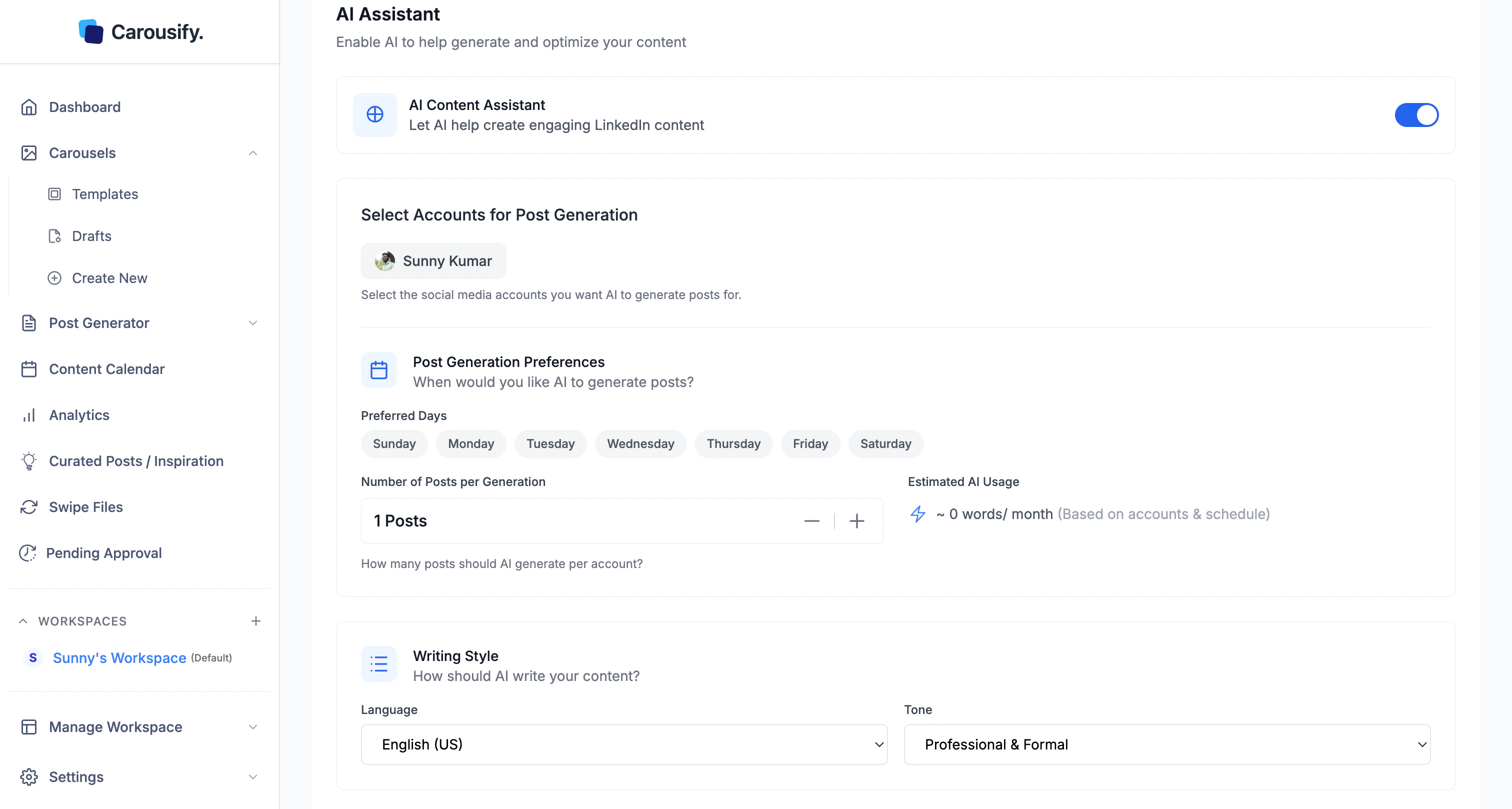
Writing defaults
1
Pick a Language
English (US/UK) plus 90+ other languages.
2
Pick a Tone
Professional & Formal, Conversational & Friendly, Technical & Detailed, or Inspirational & Motivating.
3
Save Changes
Hit Save Changes at the bottom of the section.
A few post templates let you override language or tone for a single run. Everywhere else, these workspace defaults are what AI uses.
Bring Your Own AI Key (BYOK)
Below the AI Assistant section, BYOK lets you swap Carousify’s default AI for your own OpenRouter key — per workspace.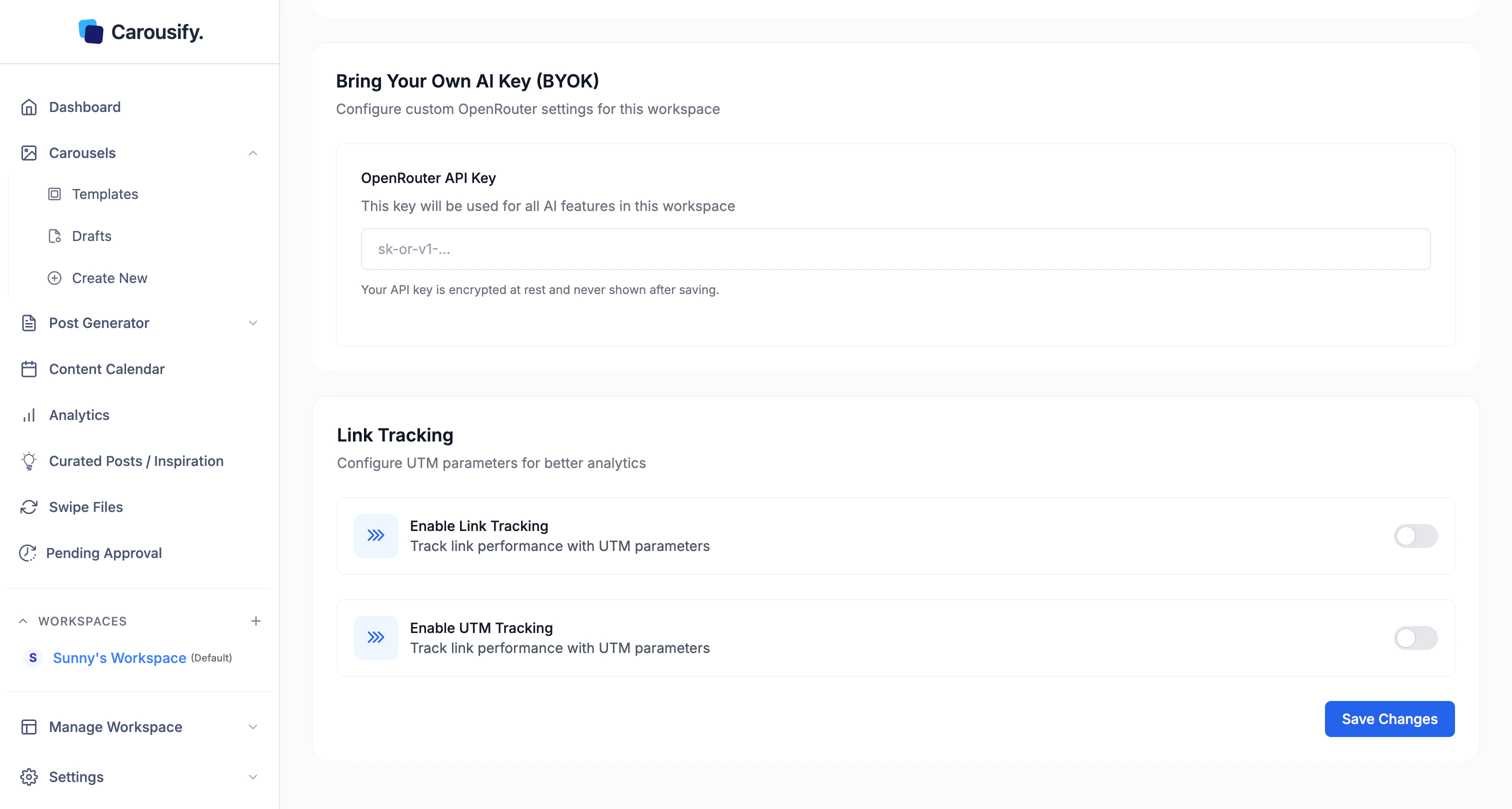
1
Get an OpenRouter key
Sign up at openrouter.ai, top up your account, and create a key (
sk-or-v1-...).2
Paste it into the BYOK field and save
Every AI request in this workspace now runs through your key — billed to your OpenRouter account, not Carousify’s. Rotate by pasting a new key; clear the field to fall back to Carousify’s default AI.
Why use BYOK
- No AI word limits — usage is capped by your OpenRouter credit, not your Carousify plan
- Pick the model — OpenRouter exposes Claude, GPT, Gemini, Llama, and dozens more
- Compliance / billing — useful when a client wants AI requests routed through their own provider