

Link tracking is available on Business and Enterprise plans. See Plans and pricing.
How it works
- You publish a LinkedIn post with one or more links.
- Carousify replaces each link with a tracked short link automatically.
- Every click is recorded with location, device, and browser.
- You review performance on the Link Tracking dashboard.
Turn it on
Open Manage Workspace › General and find the Link Tracking section.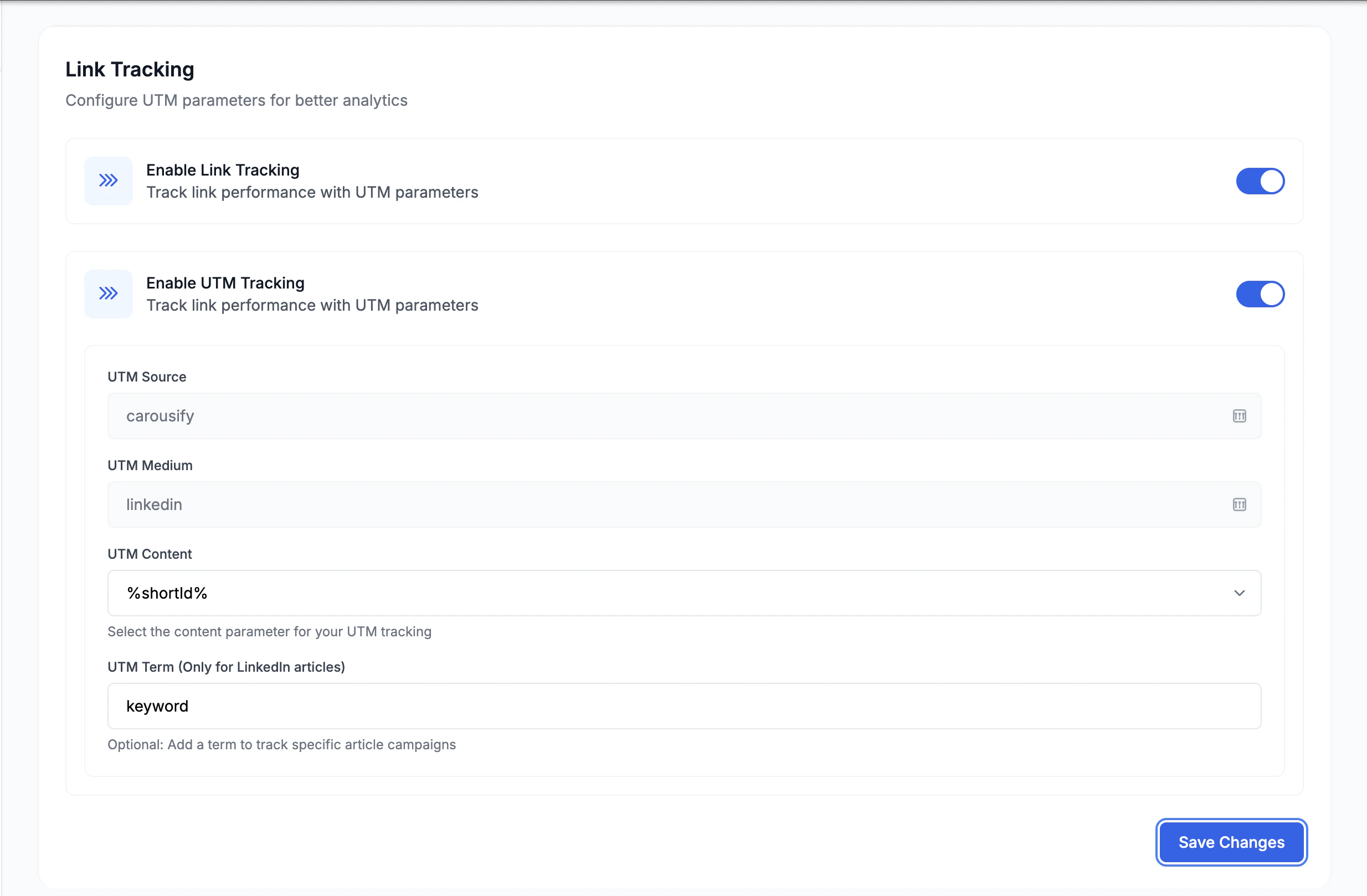
1
Enable Link Tracking
The master toggle. Turns on tracked short links for every link you post from this workspace.
2
Enable UTM Tracking (optional)
Appends UTM parameters to each link so clicks also show up in your own analytics (Google Analytics, etc.):
3
Click Save Changes
Tracking applies to posts you publish from now on.
Read the analytics
Open Link Tracking in the left sidebar.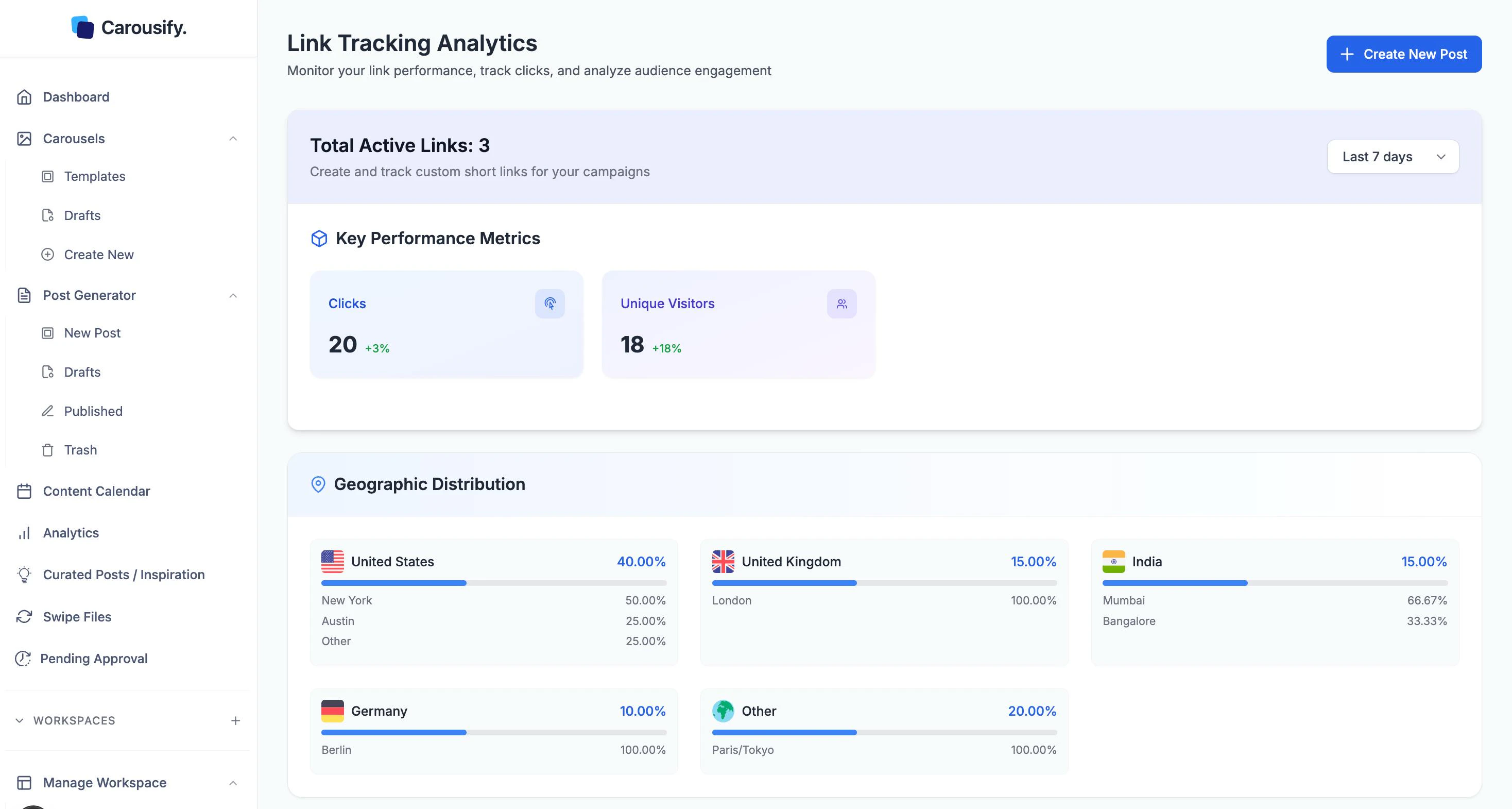
- Total Active Links — how many tracked links are currently live.
- Key Performance Metrics — Clicks and Unique Visitors, each with the change versus the previous period.
- Geographic Distribution — clicks by country, broken down to city.
- Browser & Device Analysis — share of clicks by browser, and by device (mobile / desktop / tablet).
- Link History — every tracked link with its destination, total clicks, unique clicks, created date, and actions to copy, view, or edit it.
What’s next
LinkedIn Analytics
Connection growth and per-post performance for each account.
Schedule a post
Queue posts with links and watch the clicks come in.
Write a new post
Draft a post with a link to track.
Manage clients
Turn link tracking on per client workspace.