

Turn it on
Curated Posts is configured per workspace under Manage Workspace › General › AI Assistant.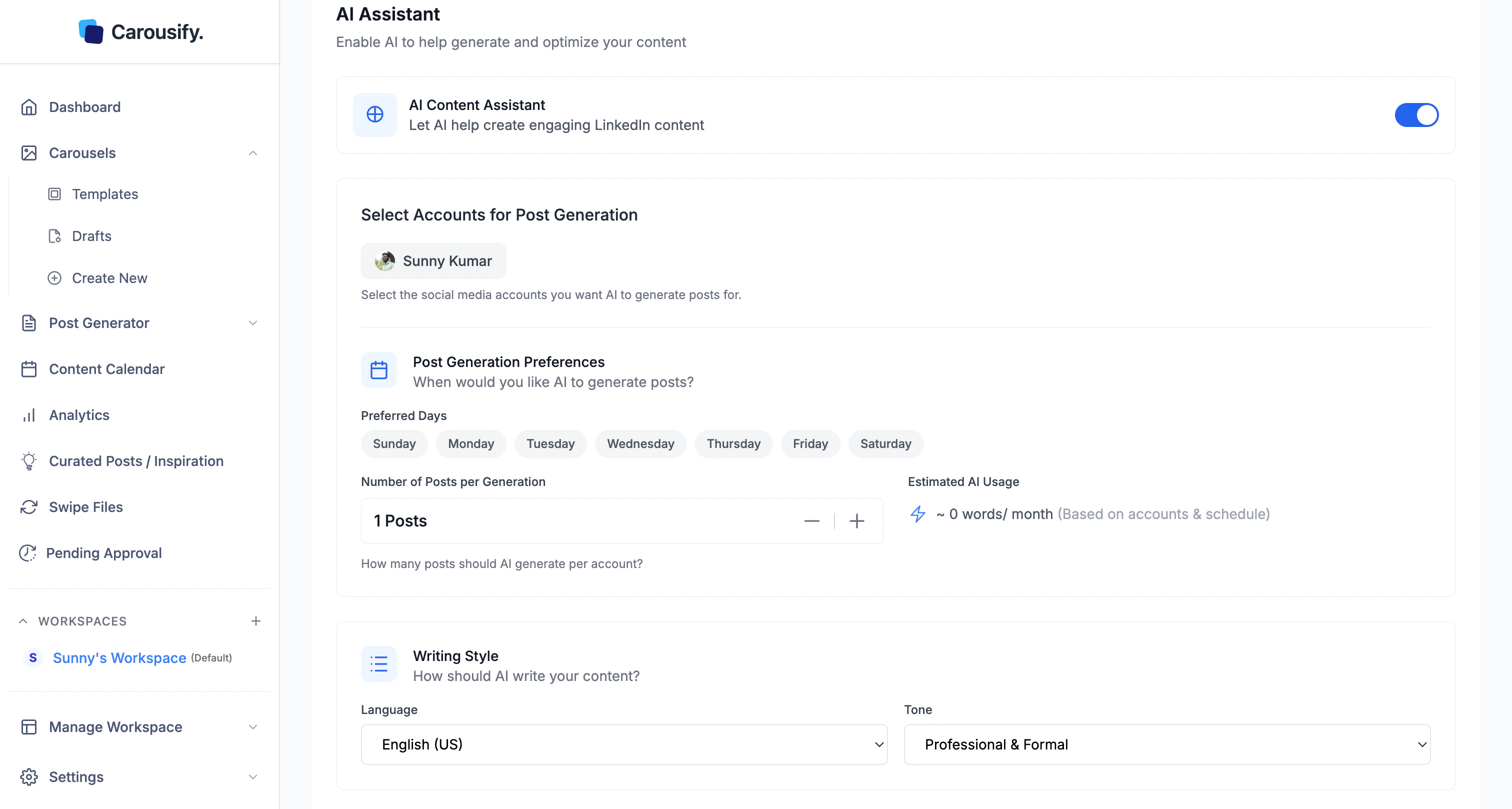
1
Toggle AI Content Assistant on
The account and day pickers appear once it’s on.
2
Choose the LinkedIn account
Pick which connected account Carousify should mine for niche signals. Your activity and audience drive what shows up in the feed.
3
Pick the days
Select which days Carousify should generate fresh curated posts. New ideas land on those days — pick the ones you actually plan to write.
4
Save Changes
Click Save Changes. The first batch takes a few hours to generate; after that the feed refreshes on the days you picked.
Open the feed
Once enabled, click Curated Posts / Inspiration in the left sidebar.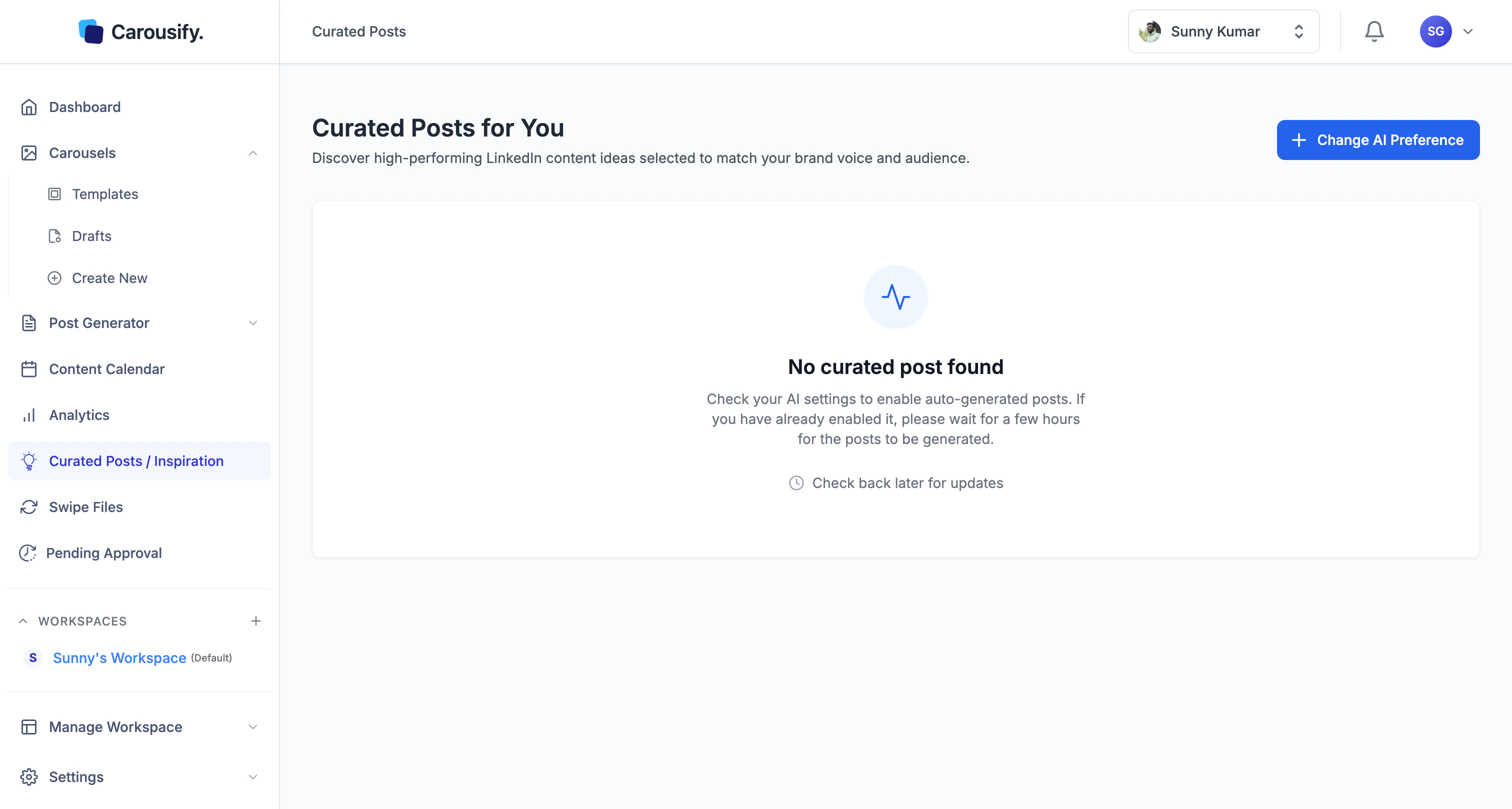
Use the ideas
Each curated post is an idea draft you can:- Open in the editor and refine before publishing
- Schedule straight to LinkedIn from the post like any other Carousify post
- Skip if it’s not the angle you want — Carousify keeps refreshing on your chosen days