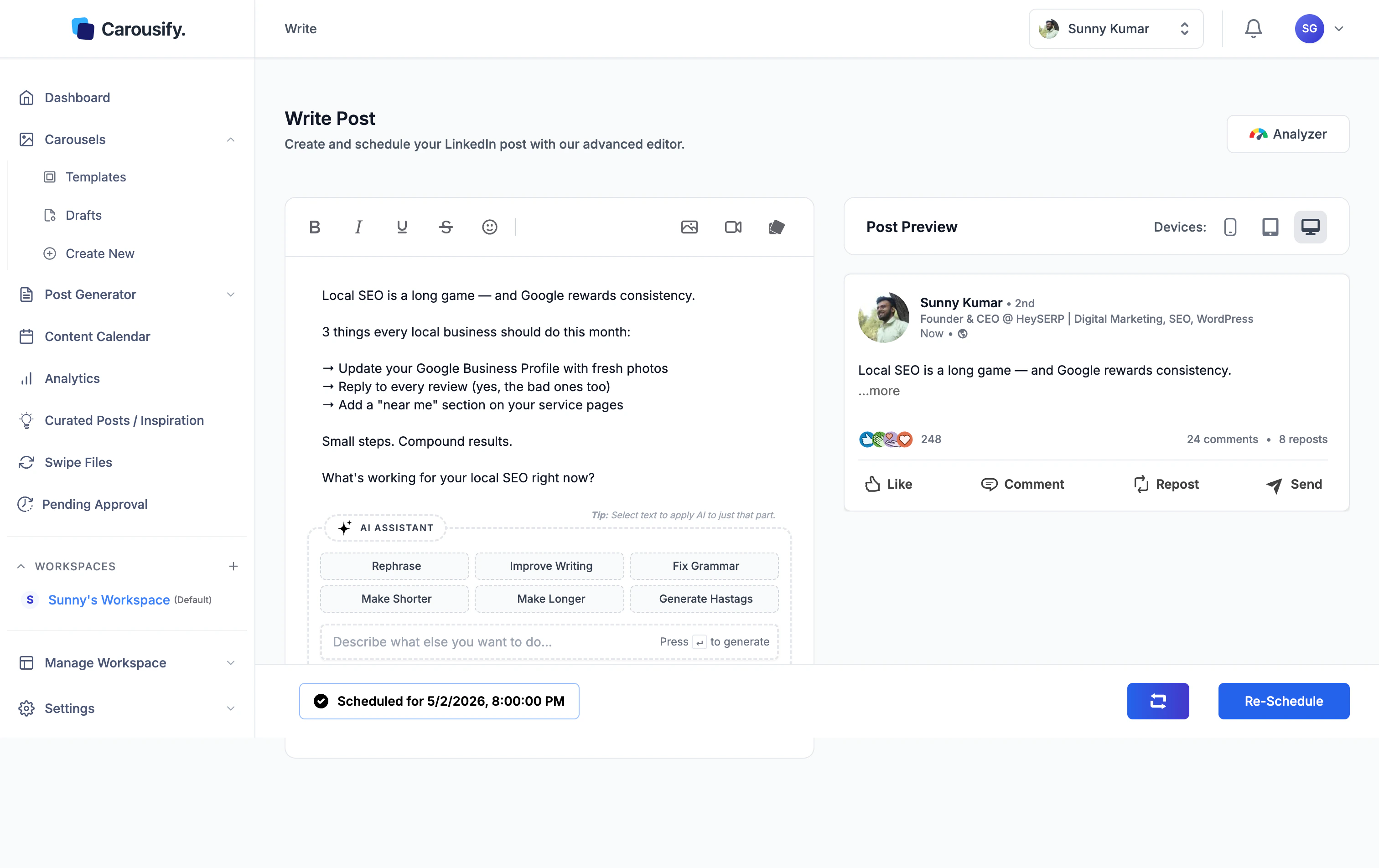
Open the post
There are two ways in:- From Content Calendar, click the scheduled post and pick Edit, or
- Open it from Post Generator › Published — scheduled posts live alongside published ones in this list
Click Re-Schedule
Clicking Re-Schedule opens the same publish dialog you used originally — pre-filled with the existing date, time, and any auto-plug settings.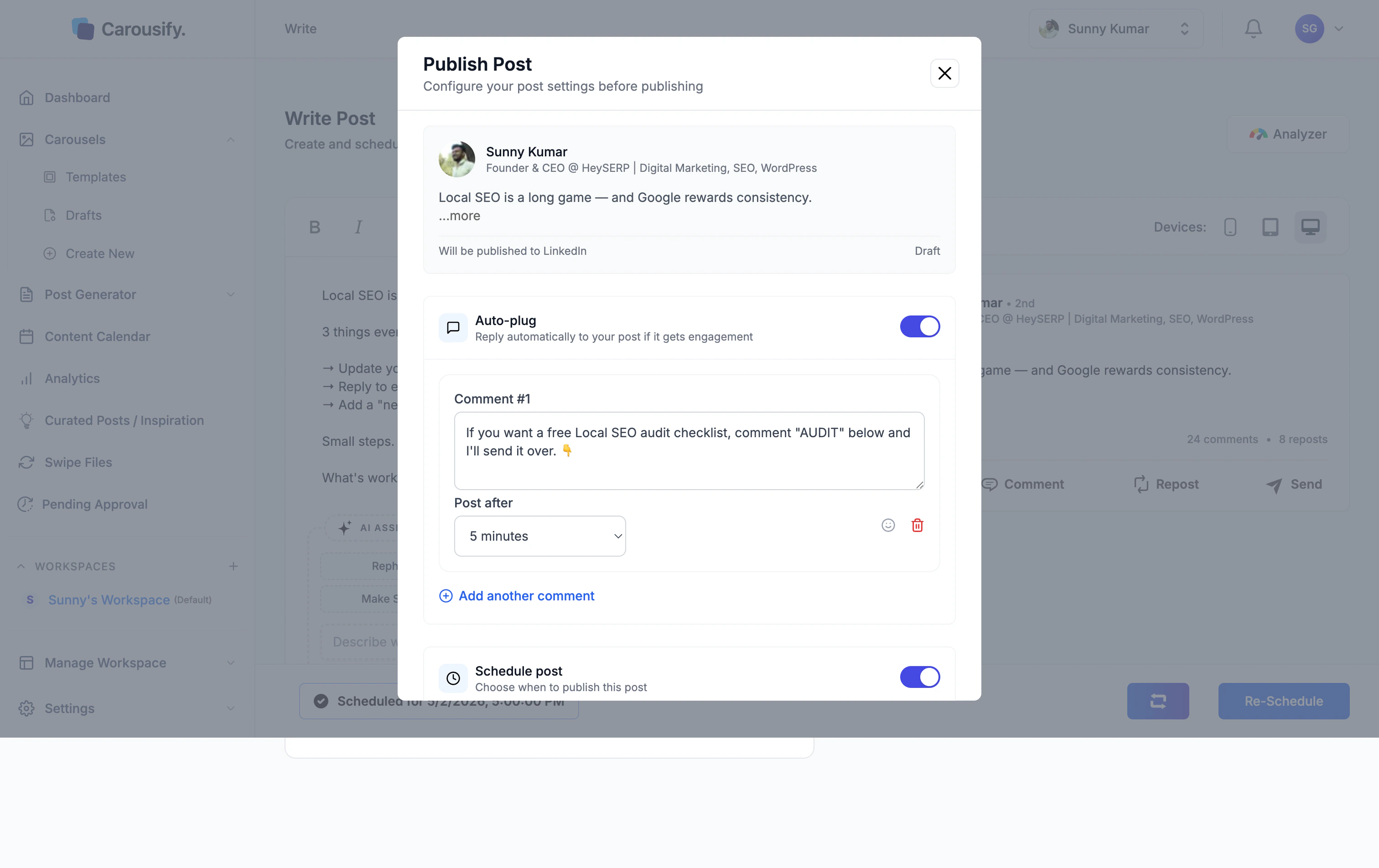
Confirm
Carousify updates the queue and shows a Post updated successfully toast. The strip at the bottom of the editor now reflects the new time: