

SMTP is part of whitelabel, an Enterprise feature, and applies once whitelabel is Active (see Whitelabel overview). On other plans, contact Support to enable it at an additional charge.
Set it up
Open Settings › Whitelabeling and find the Email (SMTP) section.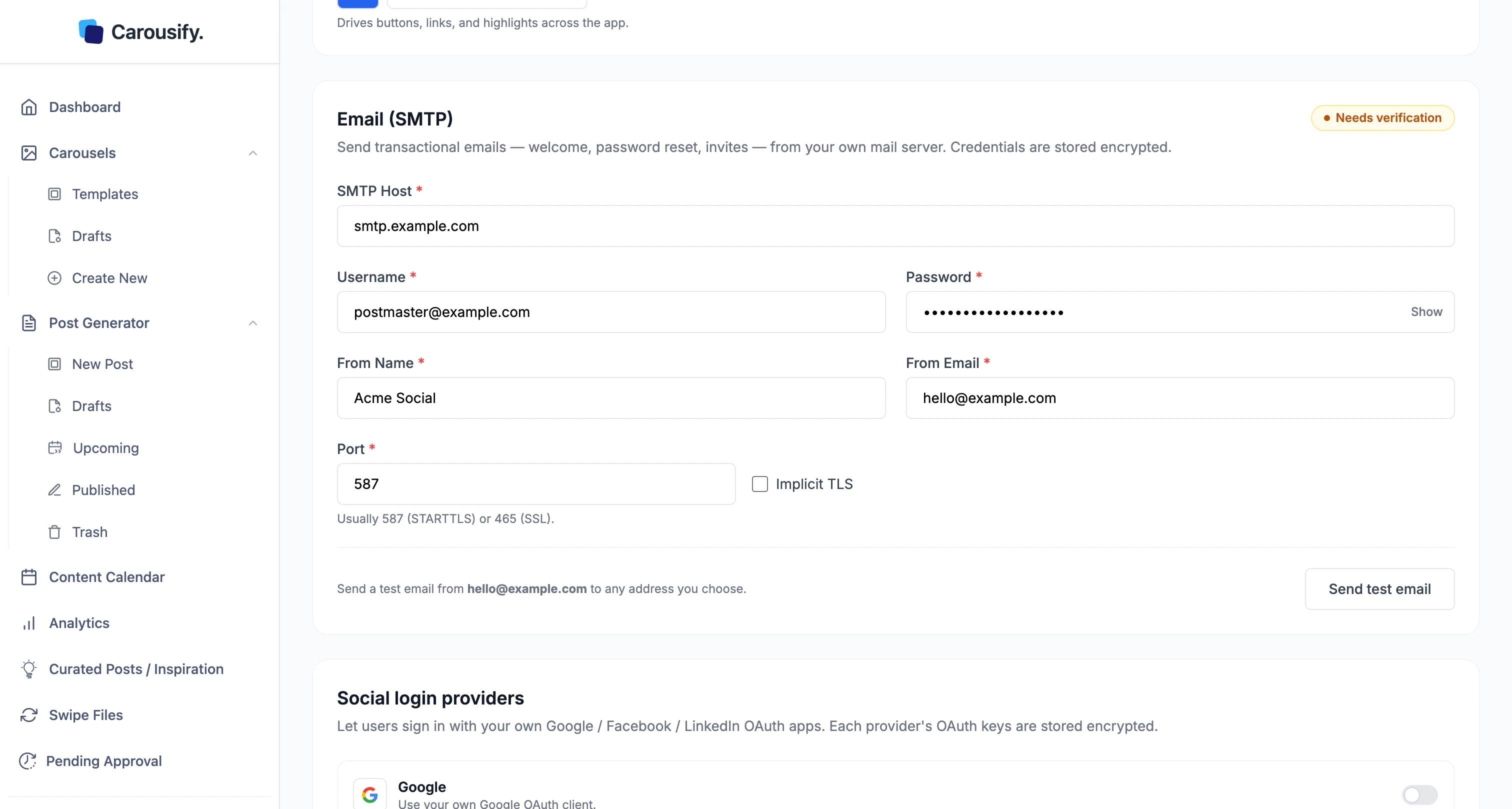
Test before it saves
Once the fields are filled, the status changes to Needs verification. Carousify makes you send a working test email before the settings save — so a wrong host or credential is caught now, not by a client.1
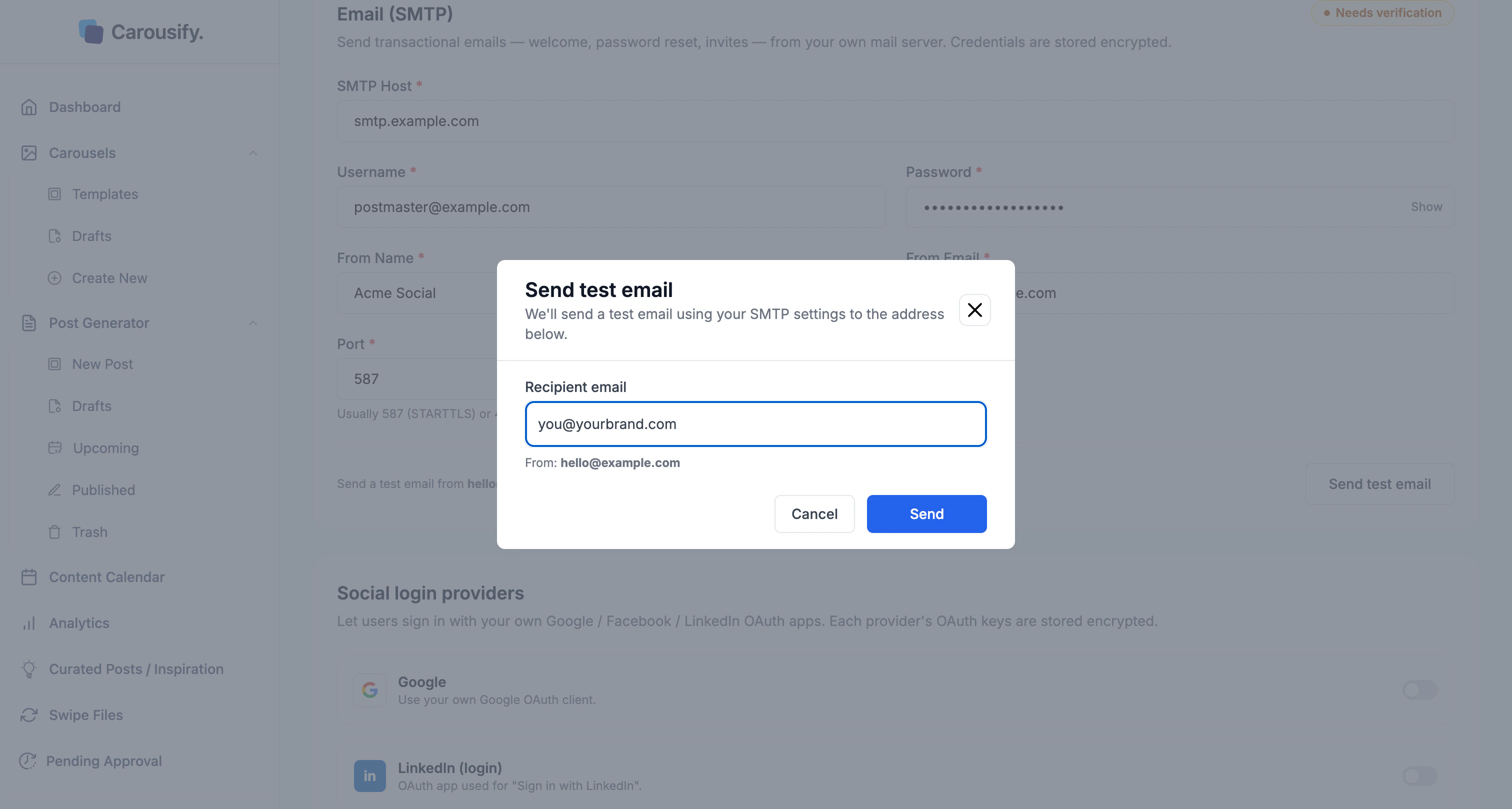
Click Send test email
A dialog opens with a recipient (your address) and the From address.
2
Send and check the inbox
Adjust the recipient if you like, click Send, and confirm the email arrives.
3
Click Save Changes
A successful test verifies the setup. If nothing arrives, fix the host, port, TLS, or credentials and test again.
What’s next
Branding
Logo, favicon, name, and accent color.
Custom domain
Serve the app from a domain you own.
Whitelabel overview
How SMTP fits the whitelabel setup.
Manage clients
Run client workspaces in your branded setup.