

Before you start
You’ll need:- MCP enabled on the workspace — see MCP overview
- An MCP key from Manage Workspace › MCP (only shown once, right after creating it)
- VS Code 1.99 or later
Step 1 — Copy your Carousify MCP URL
In Carousify, open Manage Workspace › MCP and use the MCP System Key (or click Create API Key to mint a fresh one). Copy the URL:Step 2 — Add Carousify in VS Code
1
Run MCP: Add Server
Open the Command Palette (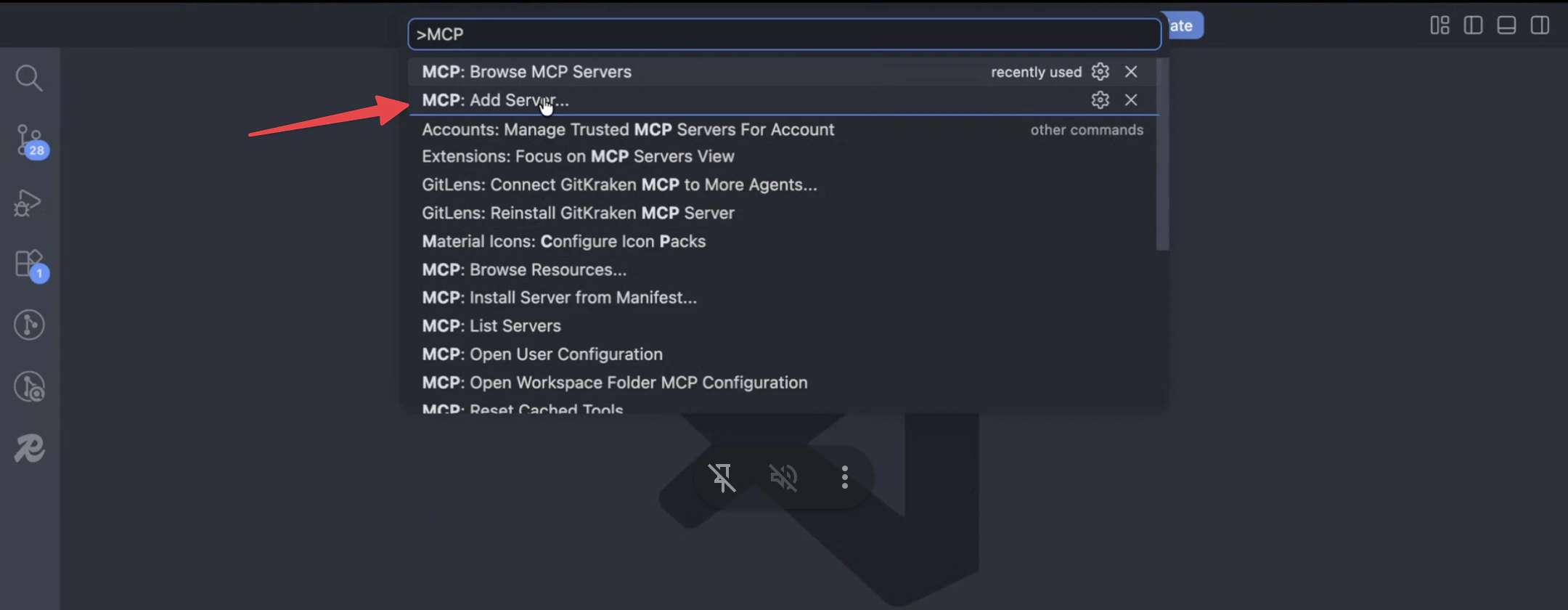
⌘ Shift P / Ctrl Shift P), type MCP, and pick MCP: Add Server.2
Choose HTTP
Pick HTTP (HTTP or Server-Sent Events) — Carousify is a remote server, not a local command.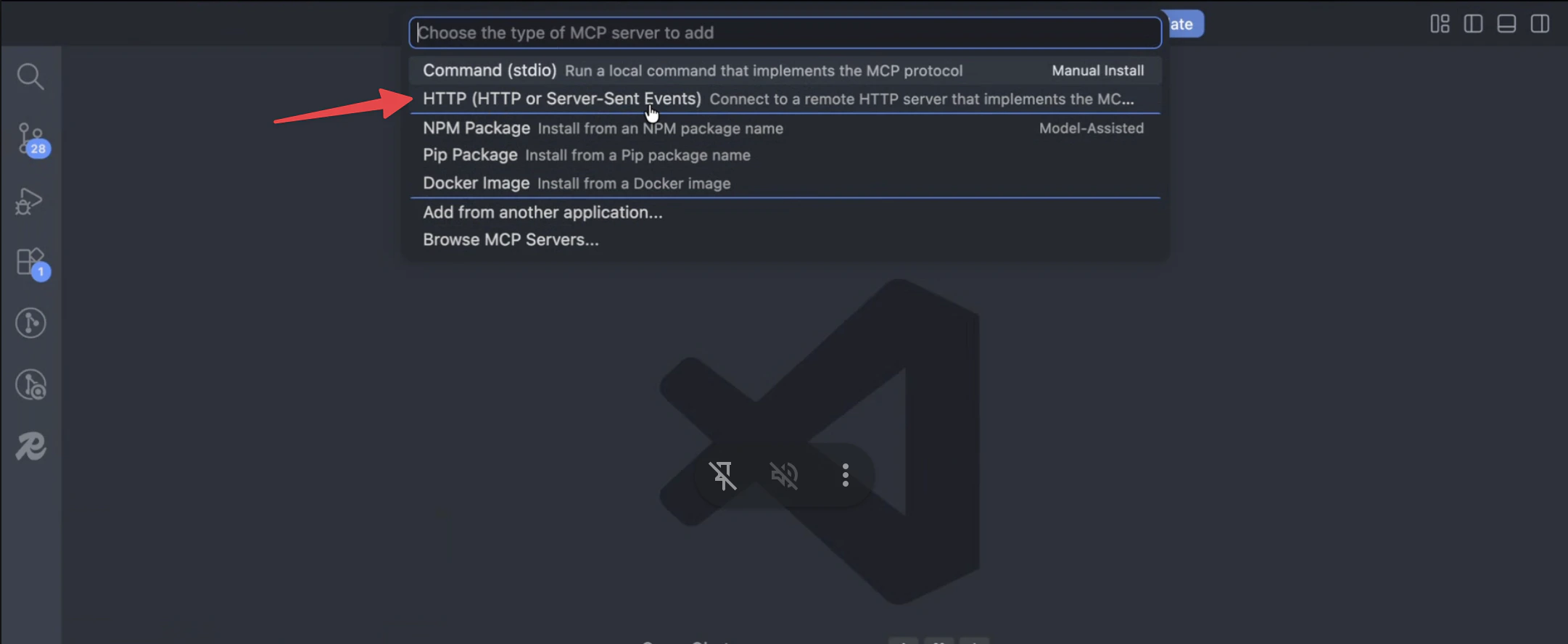
3
Paste the URL
Paste the Setup Link from Step 1 and press Enter. VS Code opens the connection and lists Carousify’s tools in the MCP Servers view.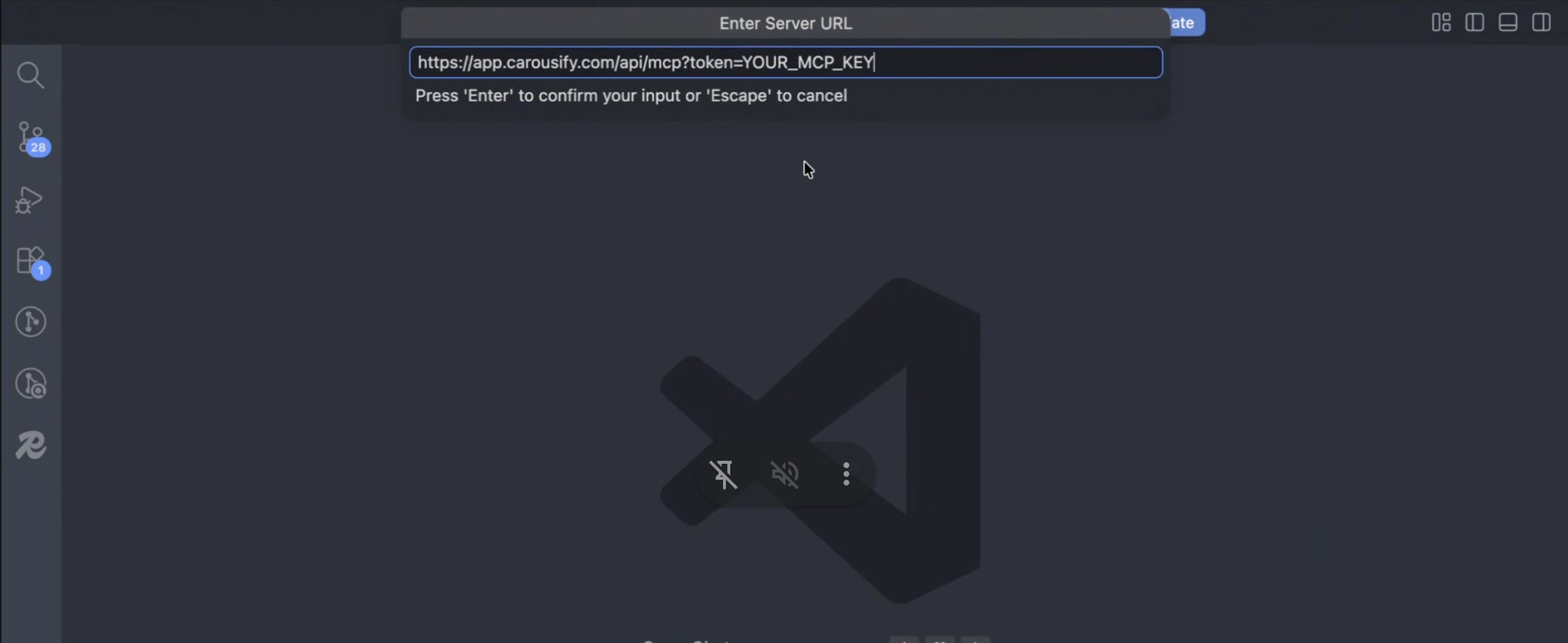
Step 3 — Use it in chat
Open the chat panel (⌘ Ctrl I / Ctrl Alt I) in Agent mode and try:
- “Using Carousify, draft a LinkedIn post recapping today’s commits and schedule it for 9 AM tomorrow IST.”
- “List my scheduled Carousify posts for this week.”
- “Pull analytics for the post I published yesterday.”
Disconnect or rotate
- Disconnect — run MCP: List Servers in the Command Palette and remove Carousify.
- Rotate the key — delete the row in Carousify’s MCP Keys table, mint a new one, and re-run MCP: Add Server with the new URL.
What’s next
MCP overview
How MCP keys, tools, and workspace scoping fit together.
Use it from Claude
Custom connector setup for Claude web, desktop, and Claude Code.
Schedule a post
Quick refresher on how scheduling works inside Carousify.