> ## Documentation Index
> Fetch the complete documentation index at: https://docs.carousify.com/llms.txt
> Use this file to discover all available pages before exploring further.
# AI Assistant & BYOK
> Set the AI defaults that power Post Generator, AI carousels, and the Curated Posts feed in this workspace.
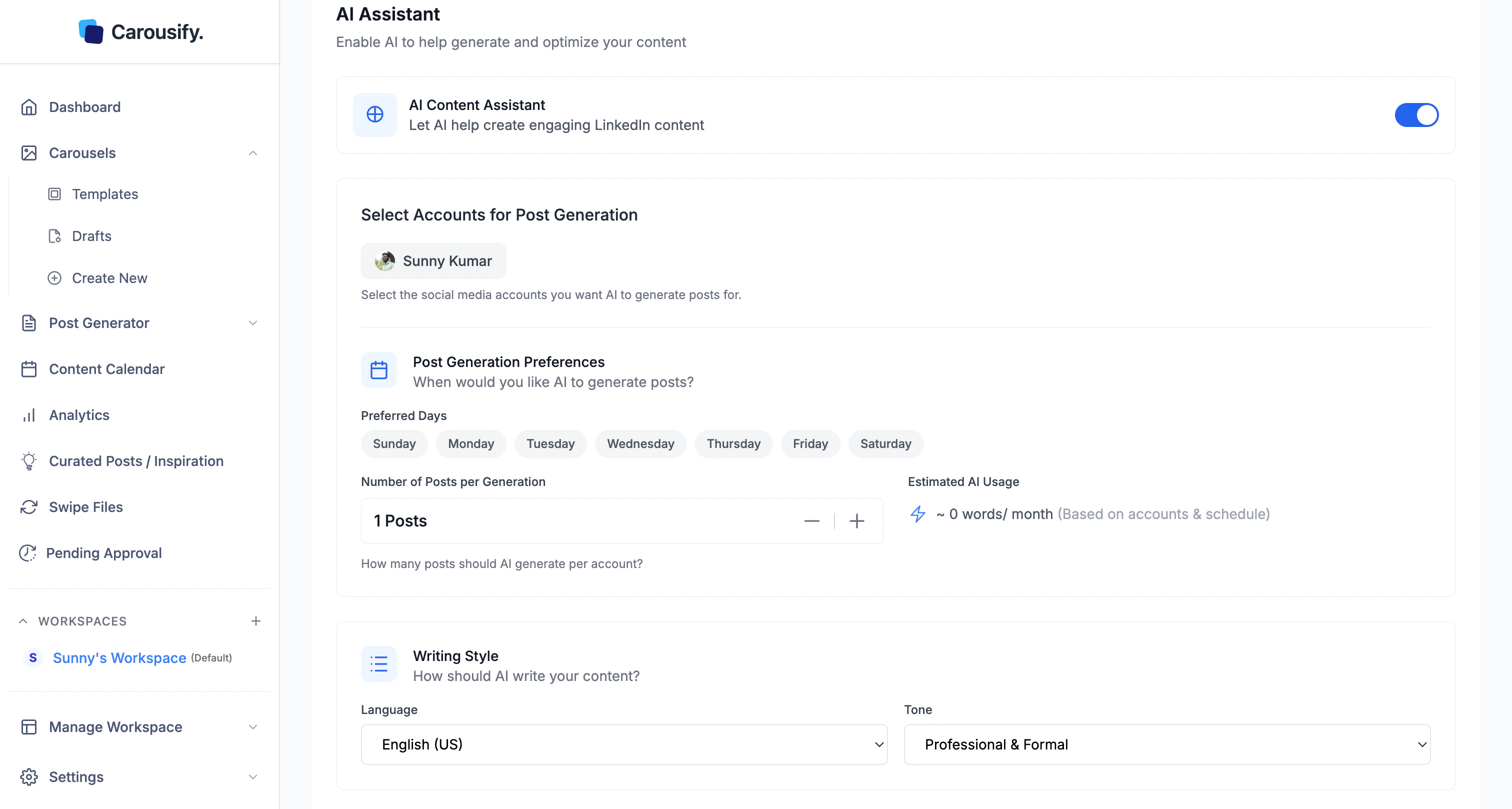
The **AI Assistant** section under **Manage Workspace › General** sets the writing defaults every AI generation in this workspace inherits — Post Generator, AI carousels, and the in-editor assistant.
 ## Writing defaults
English (US/UK) plus 90+ other languages.
**Professional & Formal**, **Conversational & Friendly**, **Technical & Detailed**, or **Inspirational & Motivating**.
Hit **Save Changes** at the bottom of the section.
A few **post templates** let you override language or tone for a single run. Everywhere else, these workspace defaults are what AI uses.
The same panel also has an **AI Content Assistant** toggle that powers the **Curated Posts / Inspiration** feed in the sidebar — see [Curated Posts](/post-generator/curated-posts) for that flow.
## Bring Your Own AI Key (BYOK)
Below the AI Assistant section, **BYOK** lets you swap Carousify's default AI for your own [OpenRouter](https://openrouter.ai/) key — per workspace.
## Writing defaults
English (US/UK) plus 90+ other languages.
**Professional & Formal**, **Conversational & Friendly**, **Technical & Detailed**, or **Inspirational & Motivating**.
Hit **Save Changes** at the bottom of the section.
A few **post templates** let you override language or tone for a single run. Everywhere else, these workspace defaults are what AI uses.
The same panel also has an **AI Content Assistant** toggle that powers the **Curated Posts / Inspiration** feed in the sidebar — see [Curated Posts](/post-generator/curated-posts) for that flow.
## Bring Your Own AI Key (BYOK)
Below the AI Assistant section, **BYOK** lets you swap Carousify's default AI for your own [OpenRouter](https://openrouter.ai/) key — per workspace.
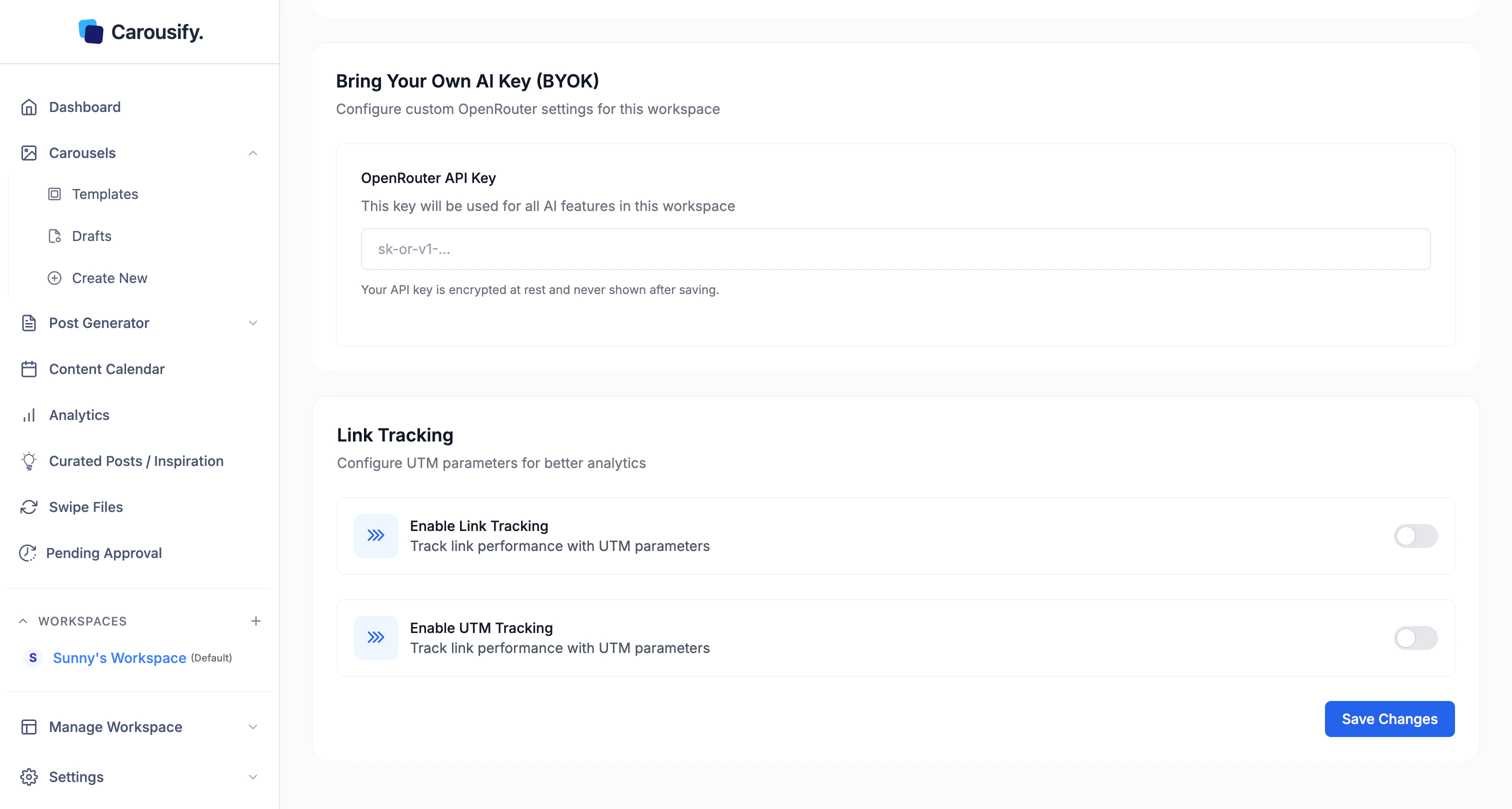 Sign up at [openrouter.ai](https://openrouter.ai/), top up your account, and create a key (`sk-or-v1-...`).
Every AI request in this workspace now runs through your key — billed to your OpenRouter account, not Carousify's. Rotate by pasting a new key; clear the field to fall back to Carousify's default AI.
### Why use BYOK
* **No AI word limits** — usage is capped by your OpenRouter credit, not your Carousify plan
* **Pick the model** — OpenRouter exposes Claude, GPT, Gemini, Llama, and dozens more
* **Compliance / billing** — useful when a client wants AI requests routed through their own provider
### Security
Your API key is **encrypted at rest** and never shown back in the UI after saving. Editing the field always replaces the stored key — Carousify never decrypts it.
BYOK is per workspace. Mix Carousify-billed AI in one workspace with your own key in another — handy if some clients pay for their own AI usage and others don't.
Sign up at [openrouter.ai](https://openrouter.ai/), top up your account, and create a key (`sk-or-v1-...`).
Every AI request in this workspace now runs through your key — billed to your OpenRouter account, not Carousify's. Rotate by pasting a new key; clear the field to fall back to Carousify's default AI.
### Why use BYOK
* **No AI word limits** — usage is capped by your OpenRouter credit, not your Carousify plan
* **Pick the model** — OpenRouter exposes Claude, GPT, Gemini, Llama, and dozens more
* **Compliance / billing** — useful when a client wants AI requests routed through their own provider
### Security
Your API key is **encrypted at rest** and never shown back in the UI after saving. Editing the field always replaces the stored key — Carousify never decrypts it.
BYOK is per workspace. Mix Carousify-billed AI in one workspace with your own key in another — handy if some clients pay for their own AI usage and others don't.