> ## Documentation Index
> Fetch the complete documentation index at: https://docs.carousify.com/llms.txt
> Use this file to discover all available pages before exploring further.
# Reschedule a post
> Move a queued post to a different date or time without rewriting it.
Already scheduled a post but want to push it back, pull it forward, or move to a different day? Use **Re-Schedule** instead of canceling and starting over.
## Open the post
There are two ways in:
* From **Content Calendar**, click the scheduled post and pick **Edit**, or
* Open it from **Post Generator › Published** — scheduled posts live alongside published ones in this list
You'll land in the writer with a **Scheduled for \[date, time]** strip at the bottom and a **Re-Schedule** button next to it.
## Click Re-Schedule
Clicking **Re-Schedule** opens the same publish dialog you used originally — pre-filled with the existing date, time, and any auto-plug settings.
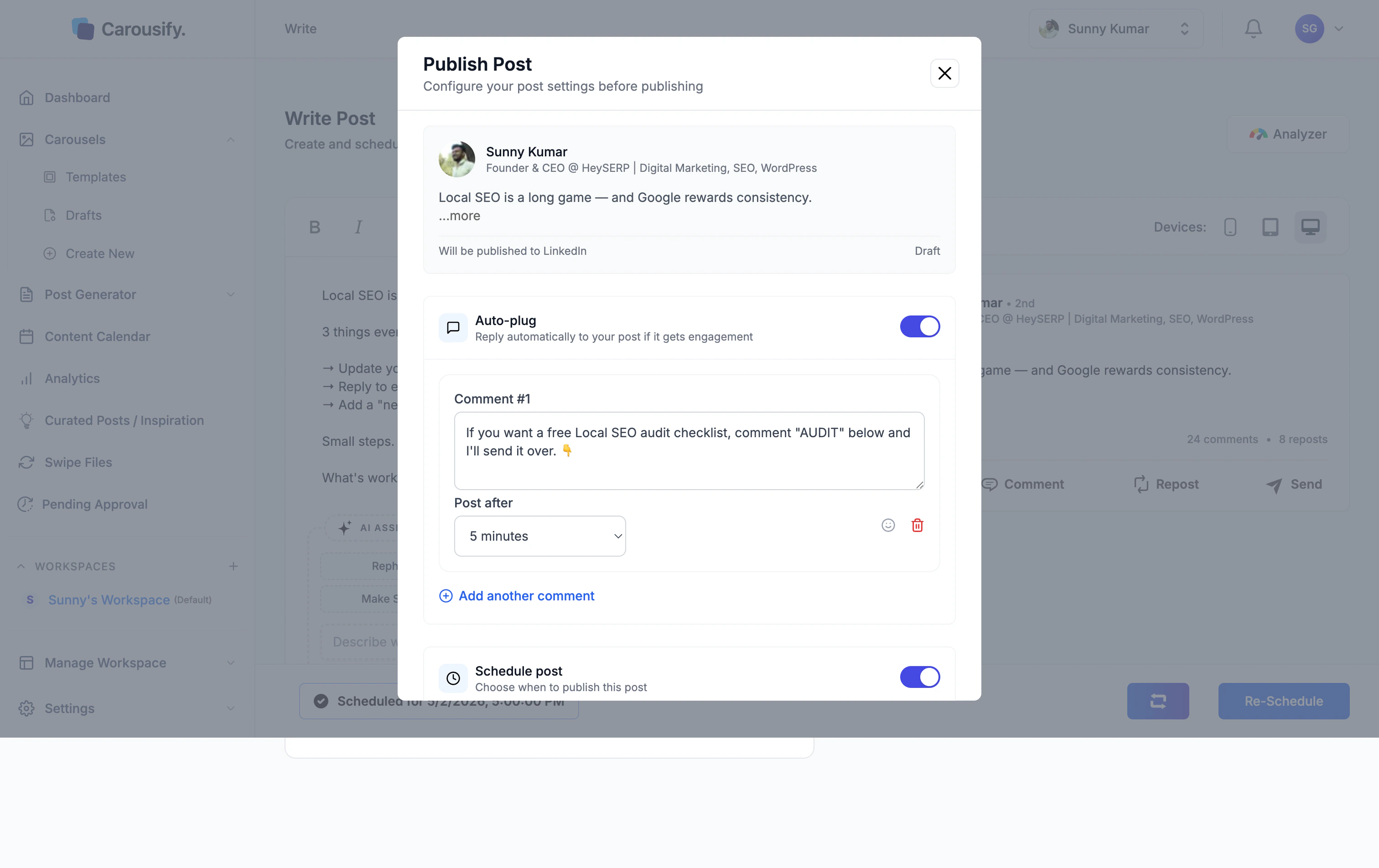 Change the date or time (in this example, from **5:00 PM** to **8:00 PM**), then click **Re-Schedule** at the bottom of the dialog.
## Confirm
Carousify updates the queue and shows a **Post updated successfully** toast. The strip at the bottom of the editor now reflects the new time:
Change the date or time (in this example, from **5:00 PM** to **8:00 PM**), then click **Re-Schedule** at the bottom of the dialog.
## Confirm
Carousify updates the queue and shows a **Post updated successfully** toast. The strip at the bottom of the editor now reflects the new time:
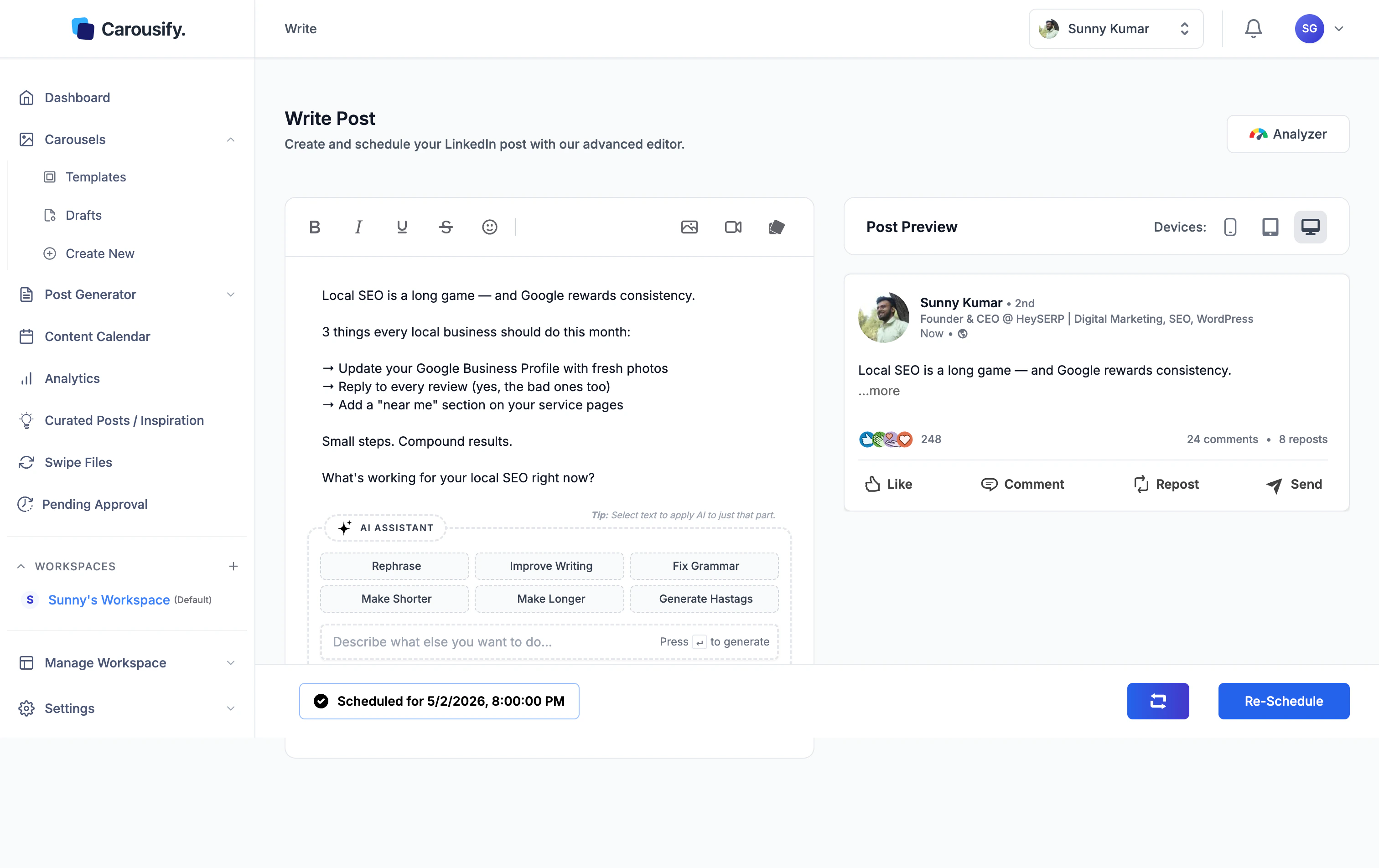 The change shows up immediately in **Content Calendar** too — the post moves to the new slot.