> ## Documentation Index
> Fetch the complete documentation index at: https://docs.carousify.com/llms.txt
> Use this file to discover all available pages before exploring further.
# Formatting and preview
> Format LinkedIn posts in the writer and preview them on mobile, tablet, or desktop before publishing.
The writer's top toolbar gives you the formatting controls LinkedIn supports. The right pane shows a live render of what the post will look like once it's live.
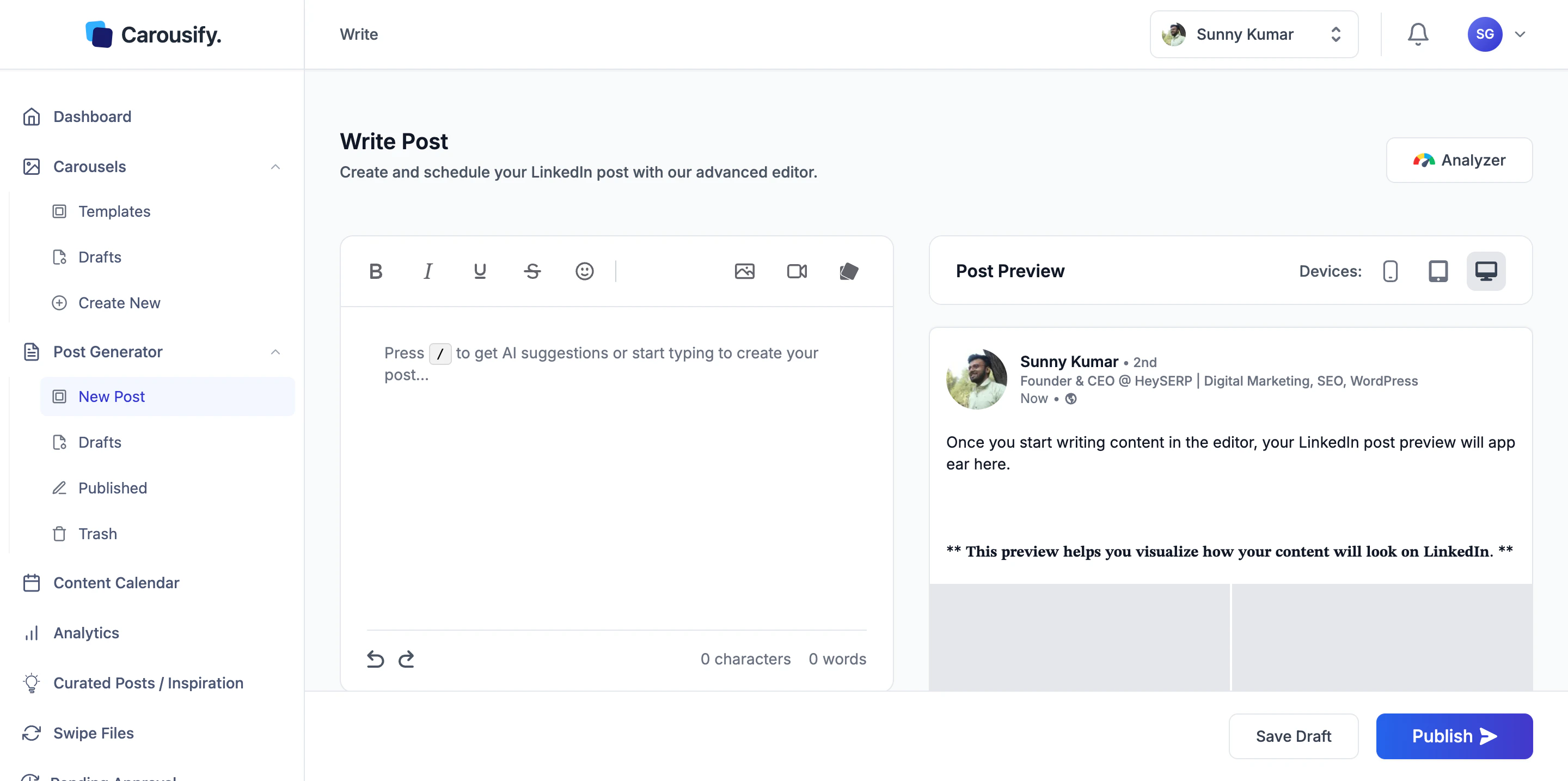 ## Formatting toolbar
| Control | What it does |
| ----------------- | --------------------------------------------------------------------- |
| **Bold** | Bold the selection |
| **Italic** | Italicize the selection |
| **Underline** | Underline the selection |
| **Strikethrough** | Strike through the selection |
| **Insert Emoji** | Open the emoji picker |
| **Add Image** | Attach a single image |
| **Add Video** | Attach a video |
| **Add Carousel** | Attach a deck built in the [Carousel Maker](/carousel-maker/overview) |
LinkedIn doesn't support real bold or italic in posts. Carousify converts your selections to **Unicode lookalike characters** that render the same way on every LinkedIn surface — but screen readers won't pronounce them as styled text. Use sparingly for emphasis, not for whole paragraphs.
## Live preview
The right pane is a pixel-accurate render of the post. The **Devices** toggle switches between three layouts:
* **Mobile** — what most LinkedIn users will see
* **Tablet**
* **Desktop**
Always check **Mobile** before publishing. Most LinkedIn traffic is on phones, and posts that look good on desktop sometimes break mid-hook on a small screen if line breaks land badly.
## What's next
Full walkthrough of the writer, including the AI Assistant panel.
Queue the finished post at a peak time for your timezone.
## Formatting toolbar
| Control | What it does |
| ----------------- | --------------------------------------------------------------------- |
| **Bold** | Bold the selection |
| **Italic** | Italicize the selection |
| **Underline** | Underline the selection |
| **Strikethrough** | Strike through the selection |
| **Insert Emoji** | Open the emoji picker |
| **Add Image** | Attach a single image |
| **Add Video** | Attach a video |
| **Add Carousel** | Attach a deck built in the [Carousel Maker](/carousel-maker/overview) |
LinkedIn doesn't support real bold or italic in posts. Carousify converts your selections to **Unicode lookalike characters** that render the same way on every LinkedIn surface — but screen readers won't pronounce them as styled text. Use sparingly for emphasis, not for whole paragraphs.
## Live preview
The right pane is a pixel-accurate render of the post. The **Devices** toggle switches between three layouts:
* **Mobile** — what most LinkedIn users will see
* **Tablet**
* **Desktop**
Always check **Mobile** before publishing. Most LinkedIn traffic is on phones, and posts that look good on desktop sometimes break mid-hook on a small screen if line breaks land badly.
## What's next
Full walkthrough of the writer, including the AI Assistant panel.
Queue the finished post at a peak time for your timezone.