> ## Documentation Index
> Fetch the complete documentation index at: https://docs.carousify.com/llms.txt
> Use this file to discover all available pages before exploring further.
# Curated Posts
> Auto-generated LinkedIn post ideas, refreshed on the days you choose.
Curated Posts is a feed of LinkedIn post ideas Carousify writes for you. It learns from your connected LinkedIn account and posts fresh ideas to the **Curated Posts / Inspiration** tab in the sidebar on the days you pick.
## Turn it on
Curated Posts is configured per workspace under **Manage Workspace › General › AI Assistant**.
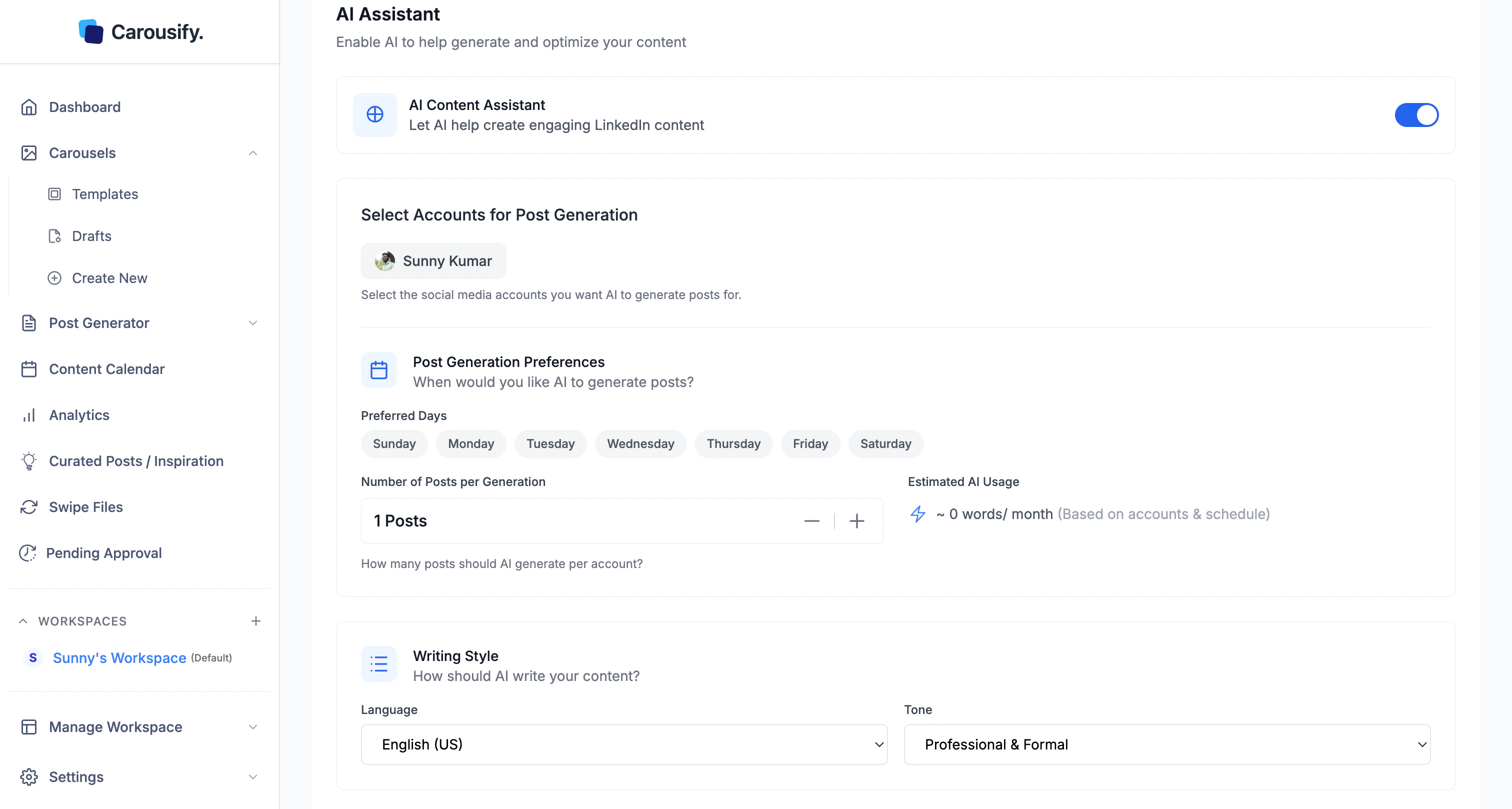 The account and day pickers appear once it's on.
Pick which connected account Carousify should mine for niche signals. Your activity and audience drive what shows up in the feed.
Select which days Carousify should generate fresh curated posts. New ideas land on those days — pick the ones you actually plan to write.
Click **Save Changes**. The first batch takes a few hours to generate; after that the feed refreshes on the days you picked.
## Open the feed
Once enabled, click **Curated Posts / Inspiration** in the left sidebar.
The account and day pickers appear once it's on.
Pick which connected account Carousify should mine for niche signals. Your activity and audience drive what shows up in the feed.
Select which days Carousify should generate fresh curated posts. New ideas land on those days — pick the ones you actually plan to write.
Click **Save Changes**. The first batch takes a few hours to generate; after that the feed refreshes on the days you picked.
## Open the feed
Once enabled, click **Curated Posts / Inspiration** in the left sidebar.
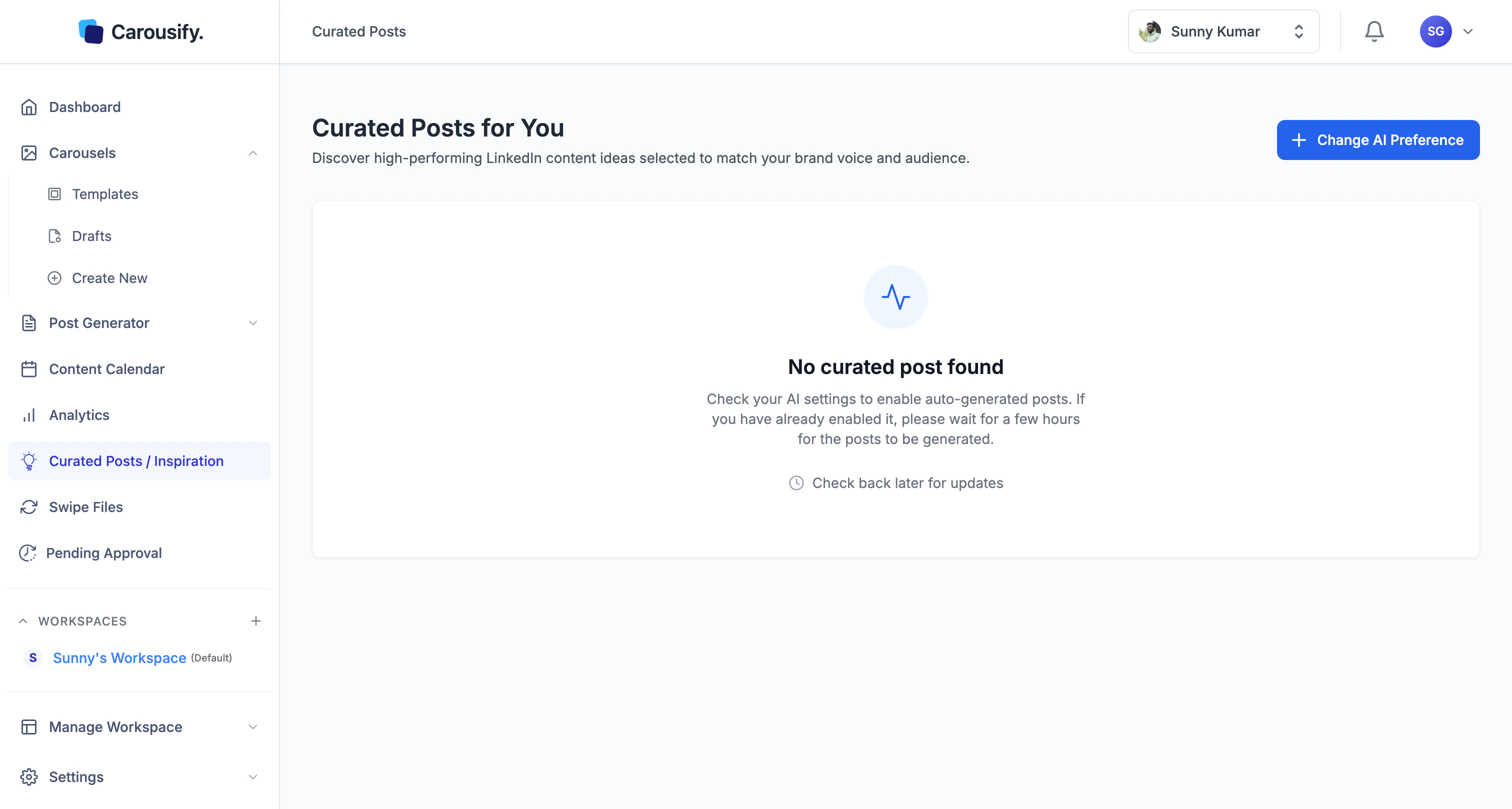 If the page is empty, either generation hasn't finished yet (give it a few hours after first turning the toggle on) or the AI Content Assistant is off. Use **Change AI Preference** at the top to jump back to settings.
## Use the ideas
Each curated post is an idea draft you can:
* **Open** in the editor and refine before publishing
* **Schedule** straight to LinkedIn from the post like any other Carousify post
* **Skip** if it's not the angle you want — Carousify keeps refreshing on your chosen days
Treat the feed like a writing prompt list, not a publish-as-is queue. The faster you edit and ship, the better the next batch gets at matching your voice.
If the page is empty, either generation hasn't finished yet (give it a few hours after first turning the toggle on) or the AI Content Assistant is off. Use **Change AI Preference** at the top to jump back to settings.
## Use the ideas
Each curated post is an idea draft you can:
* **Open** in the editor and refine before publishing
* **Schedule** straight to LinkedIn from the post like any other Carousify post
* **Skip** if it's not the angle you want — Carousify keeps refreshing on your chosen days
Treat the feed like a writing prompt list, not a publish-as-is queue. The faster you edit and ship, the better the next batch gets at matching your voice.