> ## Documentation Index
> Fetch the complete documentation index at: https://docs.carousify.com/llms.txt
> Use this file to discover all available pages before exploring further.
# Integrations overview
> Connect Carousify to the tools your team already uses — Notion, Slack, and Zapier.
Carousify covers the LinkedIn side of your stack — drafting, scheduling, analytics, approvals. Integrations are how it talks to everything else: planning content in Notion, getting publish alerts in Slack, and forwarding events through Zapier into anything you already automate.
You don't need any of these to use Carousify. Pick the ones that match a real friction in your workflow.
## Where to find it
In the left sidebar, open **Manage Workspace › Integrations**.
This page is for third-party tools only. LinkedIn accounts and pages live under **Manage Workspace › Social Integrations** — see [Connect your LinkedIn account](/getting-started/connect-linkedin).
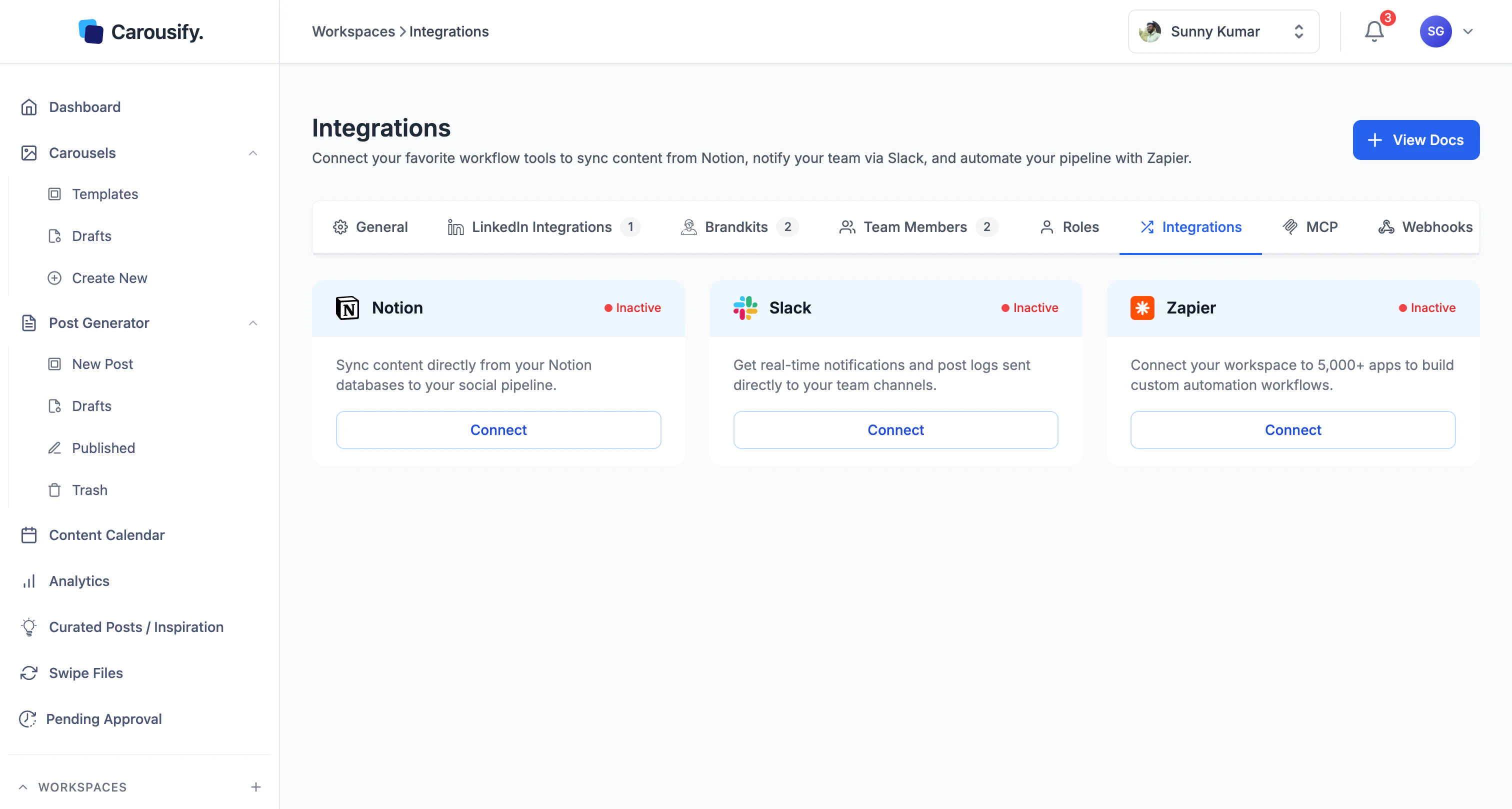 Each tile shows an **Active** or **Inactive** status pill and a **Connect** button. Click **Connect** to start the setup flow for that tool.
Integrations are scoped to a single workspace. If you run a workspace per client, connect Notion, Slack, or Zapier inside each workspace separately — settings don't carry across.
## Available integrations
Schedule LinkedIn posts straight from a Notion database.
Get notified when a post is published, scheduled, or fails.
Trigger Zaps on the same three events and route them anywhere.
## Looking for something else?
Capture articles, tweets, or LinkedIn posts as you browse.
Drive Carousify from Claude, Codex, VS Code, or Antigravity.
## Don't see what you need?
The integration list will keep growing. If a tool your team relies on isn't here yet, drop a note via [Support](https://carousify.com/contact-us/) — popular requests move up the roadmap. In the meantime, the [MCP server](/mcp/overview) covers most custom workflows without waiting for a built-in integration.
## What's next
Copy our template or map your own database.
Pick a channel and start getting publish alerts.
Connect Zapier and build your first Zap.
Each tile shows an **Active** or **Inactive** status pill and a **Connect** button. Click **Connect** to start the setup flow for that tool.
Integrations are scoped to a single workspace. If you run a workspace per client, connect Notion, Slack, or Zapier inside each workspace separately — settings don't carry across.
## Available integrations
Schedule LinkedIn posts straight from a Notion database.
Get notified when a post is published, scheduled, or fails.
Trigger Zaps on the same three events and route them anywhere.
## Looking for something else?
Capture articles, tweets, or LinkedIn posts as you browse.
Drive Carousify from Claude, Codex, VS Code, or Antigravity.
## Don't see what you need?
The integration list will keep growing. If a tool your team relies on isn't here yet, drop a note via [Support](https://carousify.com/contact-us/) — popular requests move up the roadmap. In the meantime, the [MCP server](/mcp/overview) covers most custom workflows without waiting for a built-in integration.
## What's next
Copy our template or map your own database.
Pick a channel and start getting publish alerts.
Connect Zapier and build your first Zap.